Install your custom Samsung Bespoke refrigerator panels

Maybe you just redecorated the kitchen in your favorite shade of blue and need some new appliances to match, or perhaps you’ve always wanted a two-toned refrigerator. The Samsung Bespoke refrigerators allow you to customize the panel colors to suit your taste, so you can have all blue, all white glass, or even a few mismatched colors. They're also simple to change so you can install these panels yourself to quickly mix up your kitchen's colors!

Install your custom Samsung Bespoke refrigerator panels

1

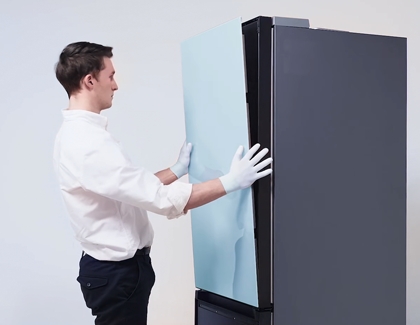
Using two hands, hold the panel upright. For the top panel, line up the bottom with the bottom portion of the door frame. 

Person lining up the panels on the top fridge of BESPOKE

2

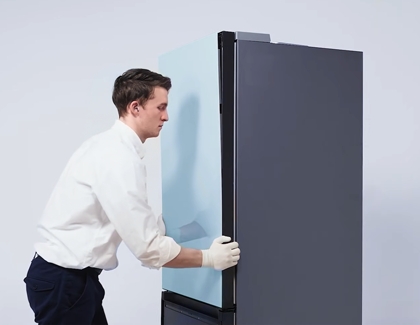
Then, push the bottom of the panel down and gently snap it into place.

Person pushing the panels into place
3

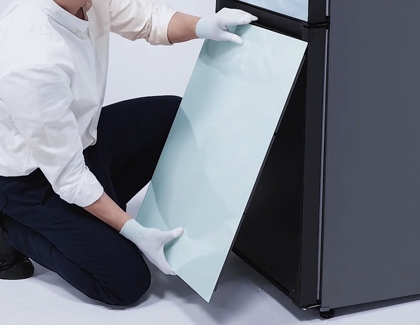
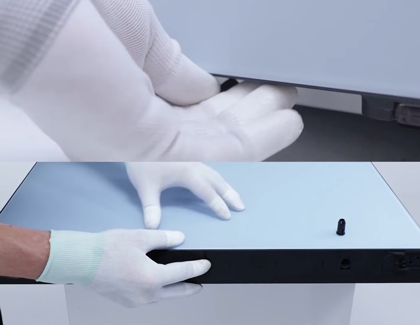
For the bottom panel, line up the top with the door’s top bracket, and then insert the panel into the bracket by pushing up.

Person lining up the panels on the bottom freezer
4

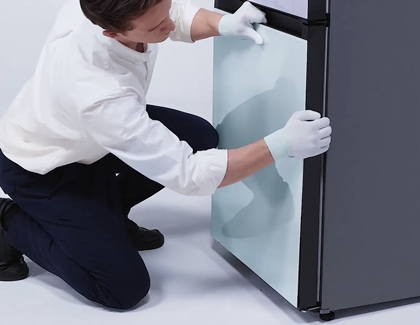
Next, push the panel into the door and snap it into place by pressing on the edges of the panel.

Person locking in the panels on the bottom freezer by pushing the panels
5

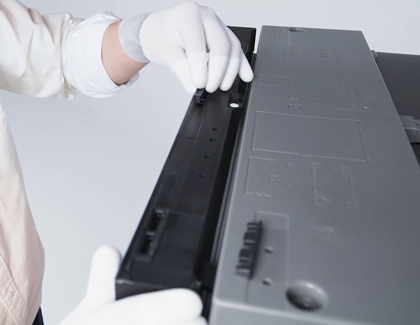
Secure the top panel by placing three rectangular connector clips into the top of the panel.

Person locking up the panels with a rectangular clips on top of the panel
Note
You will need to use the plastic connector clips located inside the bag with the fridge’s user manual. If you ordered a Bespoke fridge with custom color panels included at the time of purchase, two clips per door will already be attached.
6

Secure the bottom panel with three circular connector clips.

Person putting bottom clips to secure the panels
7

Repeat the process for the remaining panels.
8

Remove the plastic protective film from the panels by peeling it off. The two top panels are interchangeable, and the two bottom panels are interchangeable, so you can switch them at any time if desired.
Was this content helpful?
Table of contents
We're here for you

Contact Samsung Support

Contact us online through chat and get support from an expert on your computer, mobile device or tablet. Support is also available on your mobile device through the Samsung Members App.
auto-contact_us-pc-2x auto-contact_us-pc-2x


